


Many tools.
Every OS.
Format JSON, test a regex, decode a JWT, send a REST request, turn cURL into code, run SQL against a SQLite file and much more. There are 42 tools in one fast, native app for macOS, Windows and Linux (including ARM) that works offline.
Every tool unlocked for 14 days. No account, no sign-in, no credit card. Nine tools stay free forever. See pricing.
One toolbox, everywhere
The same tools on every computer you use
Tackle Box runs natively on macOS, Windows and Linux, on Intel, Apple silicon and ARM. The layout, your favorites and type-to-filter work the same everywhere, so switching machines never means relearning your tools. Plus you get quick access to tools right from the menu bar or tray area. One $29 license covers all three.
Using DevUtils on your Mac? It’s a great app, but it’s Mac-only. Tackle Box gives you a similar toolbox on your Windows PC and Linux box too.
Tried DevToys? Tackle Box adds tools built for real API and data work: a REST client, cURL to code, a SQLite query tool and a JWT signature checker. Its tools also pass data to each other in one click.
DevUtils and DevToys are names of products from other makers. Tackle Box is not affiliated with them.
Why Tackle Box?
Built for the way developers actually work
A real desktop app, not a browser tab. No account, no sign-in and no ads.
One toolbox on every OS
Mac at work, a Windows PC at home, Linux on the server? Tackle Box runs natively on all of them, on Intel, Apple silicon, x64 and ARM64. The $29 license covers all three platforms.
Your data stays on your computer
Online formatters and decoders are full of ads, and you never really know where your paste goes. Tackle Box works offline, so API keys, tokens, customer data and production JSON stay on your machine.
Native and fast
Compiled for each platform, not a web page in a wrapper, so it opens instantly. Type to filter the tools, heart your favorites, and it reopens where you left off.
Tools that work together
Format JSON, then open it in the tree viewer with one click. Import a cURL command into the REST Client to run it, or turn it into JavaScript, Python, Go, C#, Swift and more with cURL to Code.
Real code editors
Syntax highlighting for JSON, XML, HTML, SQL and Markdown, with live results as you type, in light and dark appearance that follows your system.
No subscription treadmill
Pay once and keep your version forever. A license includes a year of new tools and updates, and renewing is optional.
Screenshots
A closer look
All the tools
Everything in the box
More tools are added with every update.
Converters 3
Cron expressions, number bases and Unix timestamps, converted in place.
- Cron ParserExplain a cron expression in plain English and list when it runs next
- Number Base FreeConvert numbers between decimal, hex, binary, octal and any base up to 36
- Unix Time FreeConvert between Unix timestamps and readable dates
Database 2
Format SQL, and open any SQLite database to run queries and browse the results in a table.
- SQL FormatterPretty-print or minify SQL, with keyword case and indent options
- SQL QueryOpen a SQLite database and run SQL against it, with results in a table
Design 3
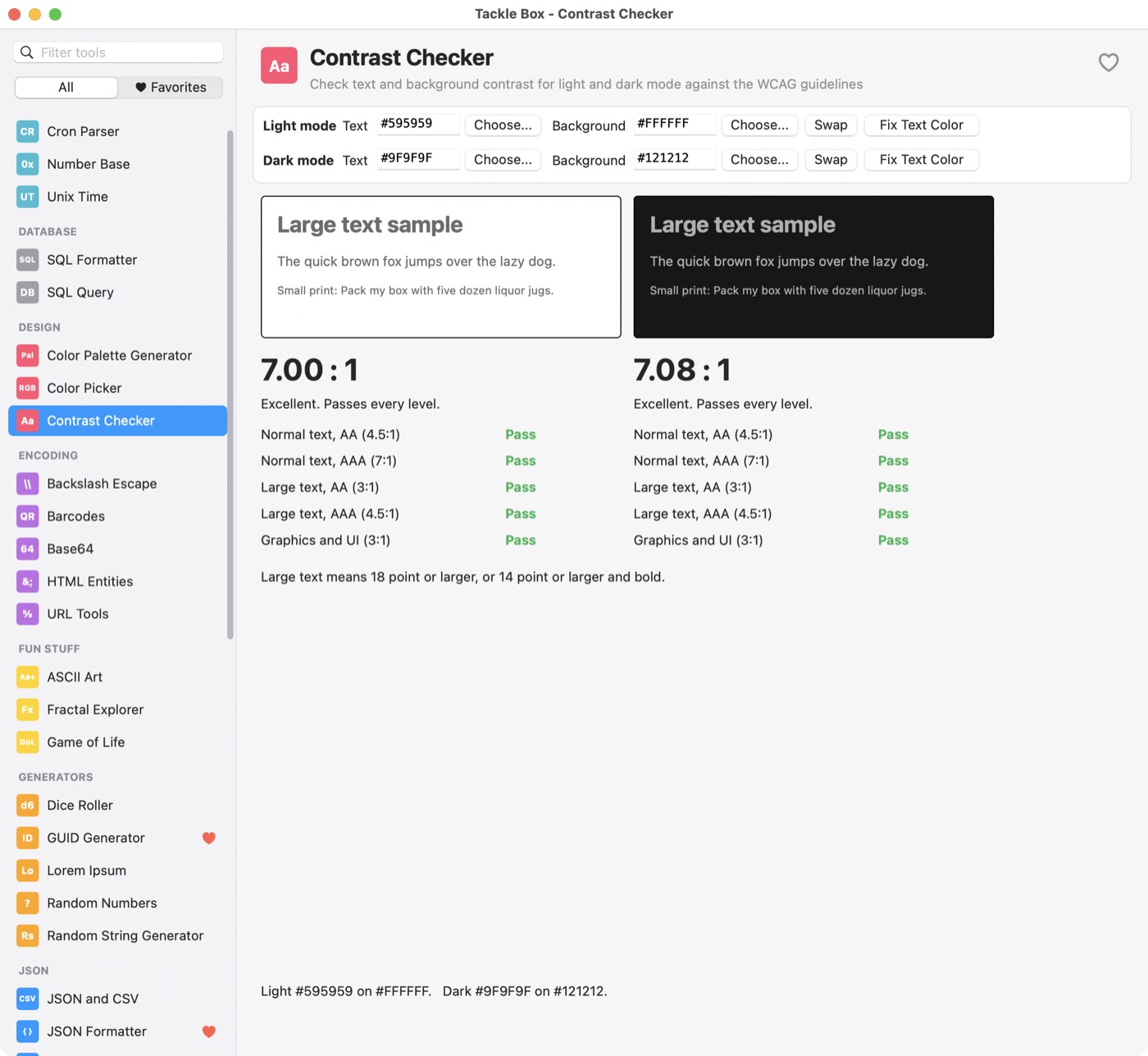
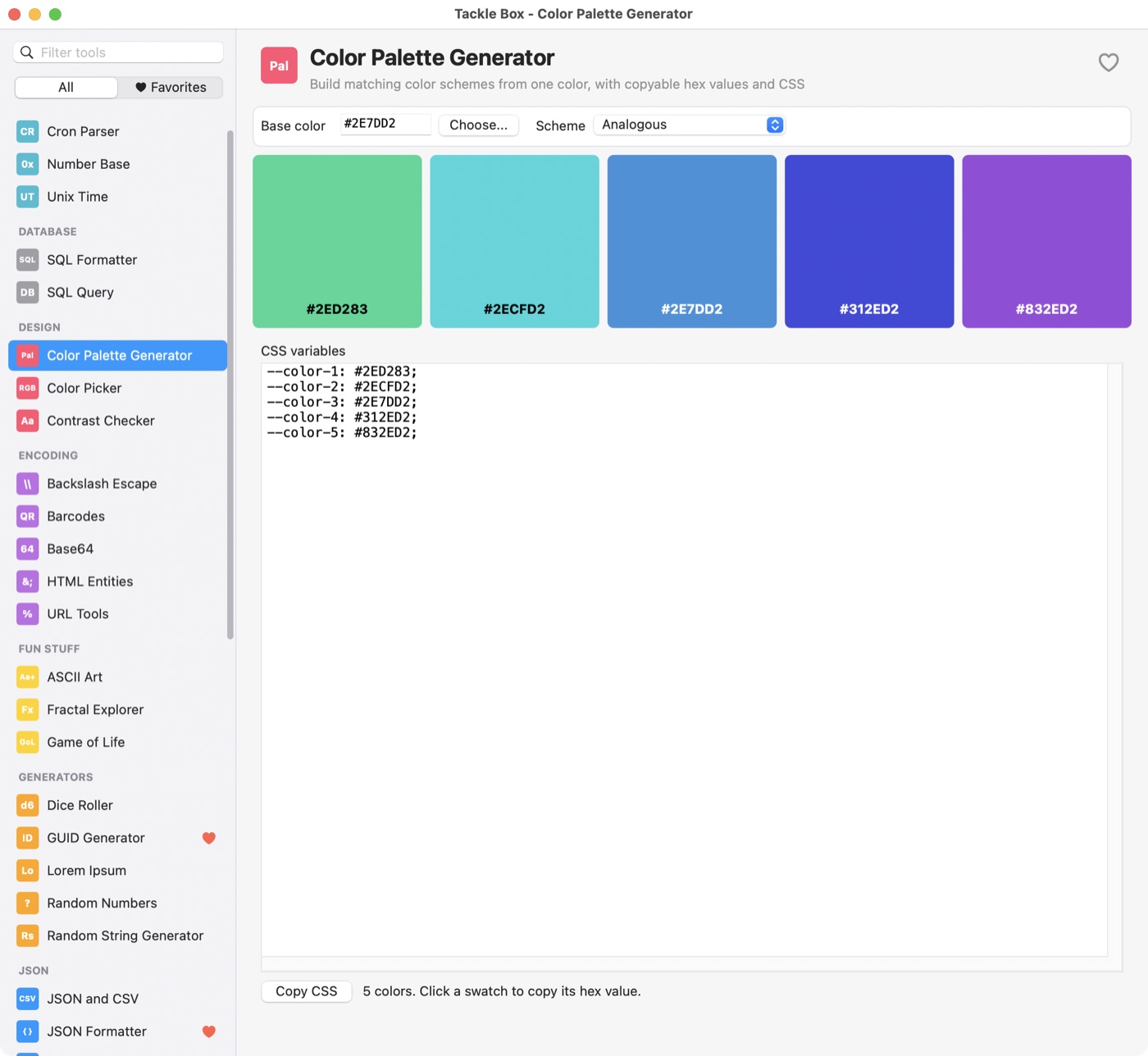
A color picker, palette generator and WCAG contrast checker for light and dark modes.
- Color Palette GeneratorBuild matching color schemes from one color, with copyable hex values and CSS
- Color Picker FreePick a color and convert it between hex, RGB, HSL and HSV
- Contrast CheckerCheck text and background contrast for light and dark mode against the WCAG guidelines
Encoding 5
Base64, URL encoding, HTML entities and backslash escaping, plus QR code and barcode creation and reading.
- Backslash EscapeEscape and unescape strings for JSON, C, Python, regex, shell and SQL
- BarcodesCreate QR codes and Code 128 barcodes; read them from images or the camera
- Base64 FreeEncode text to Base64 or decode Base64 back to text
- HTML EntitiesEncode and decode HTML entities: named, decimal and hex
- URL ToolsEncode, decode and take apart URLs and query strings
Fun Stuff 3
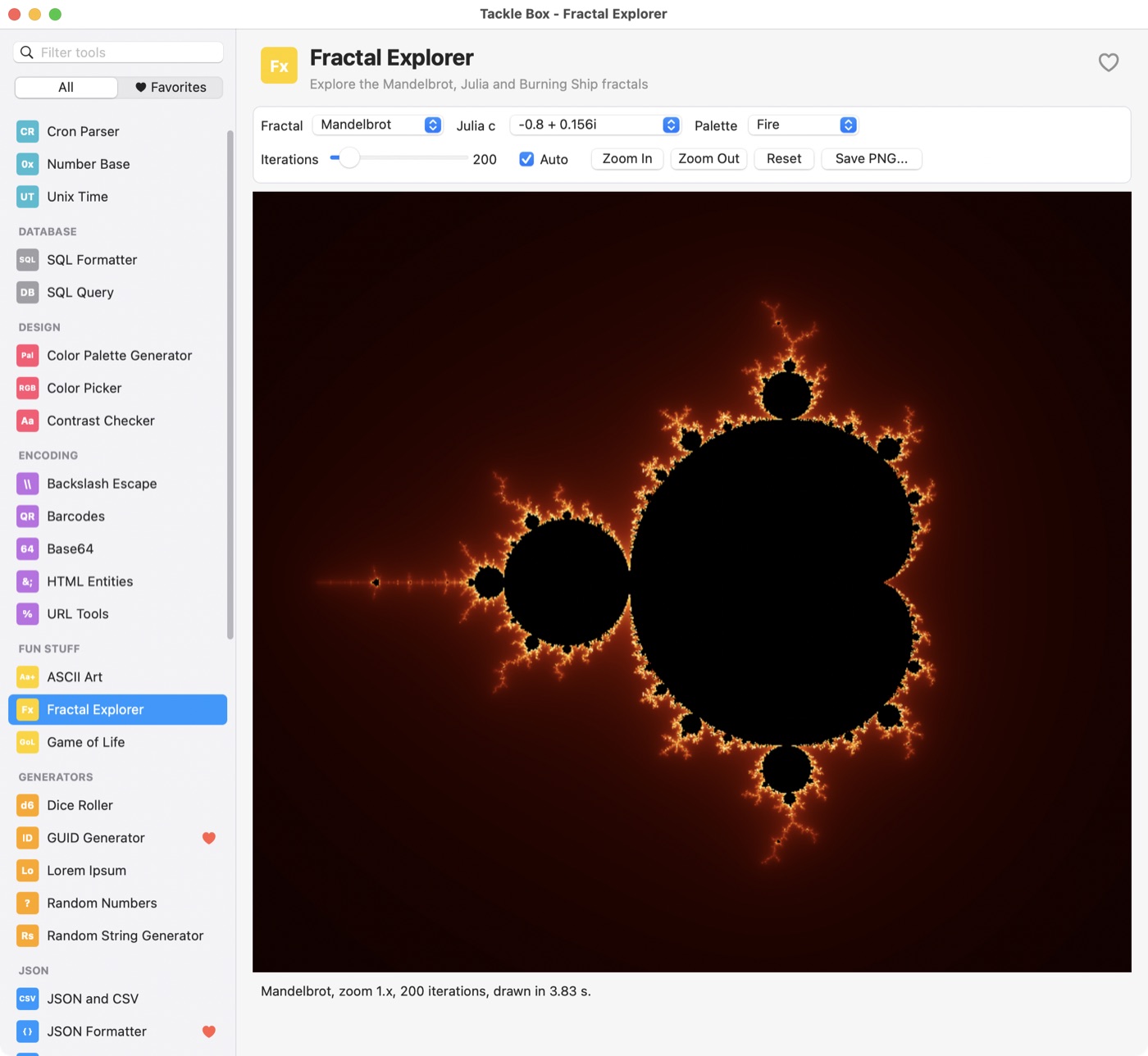
A fractal explorer, Conway's Game of Life and image-to-ASCII art. For when the build is running or your AI agent is thinking.
- ASCII Art FreeTurn an image into text characters
- Fractal Explorer FreeExplore the Mandelbrot, Julia and Burning Ship fractals
- Game of Life FreeConway's cellular automaton with classic starting patterns
Generators 5
UUIDs, random strings and passwords, lorem ipsum, random numbers and dice.
- Dice RollerRoll dice using standard notation like 2d6+3
- GUID Generator FreeGenerate random version 4 GUIDs (UUIDs) in several formats
- Lorem IpsumGenerate placeholder text in paragraphs, sentences or words
- Random NumbersGenerate random whole numbers in a range, optionally without duplicates
- Random String GeneratorMake passwords, tokens and other random strings
JSON 3
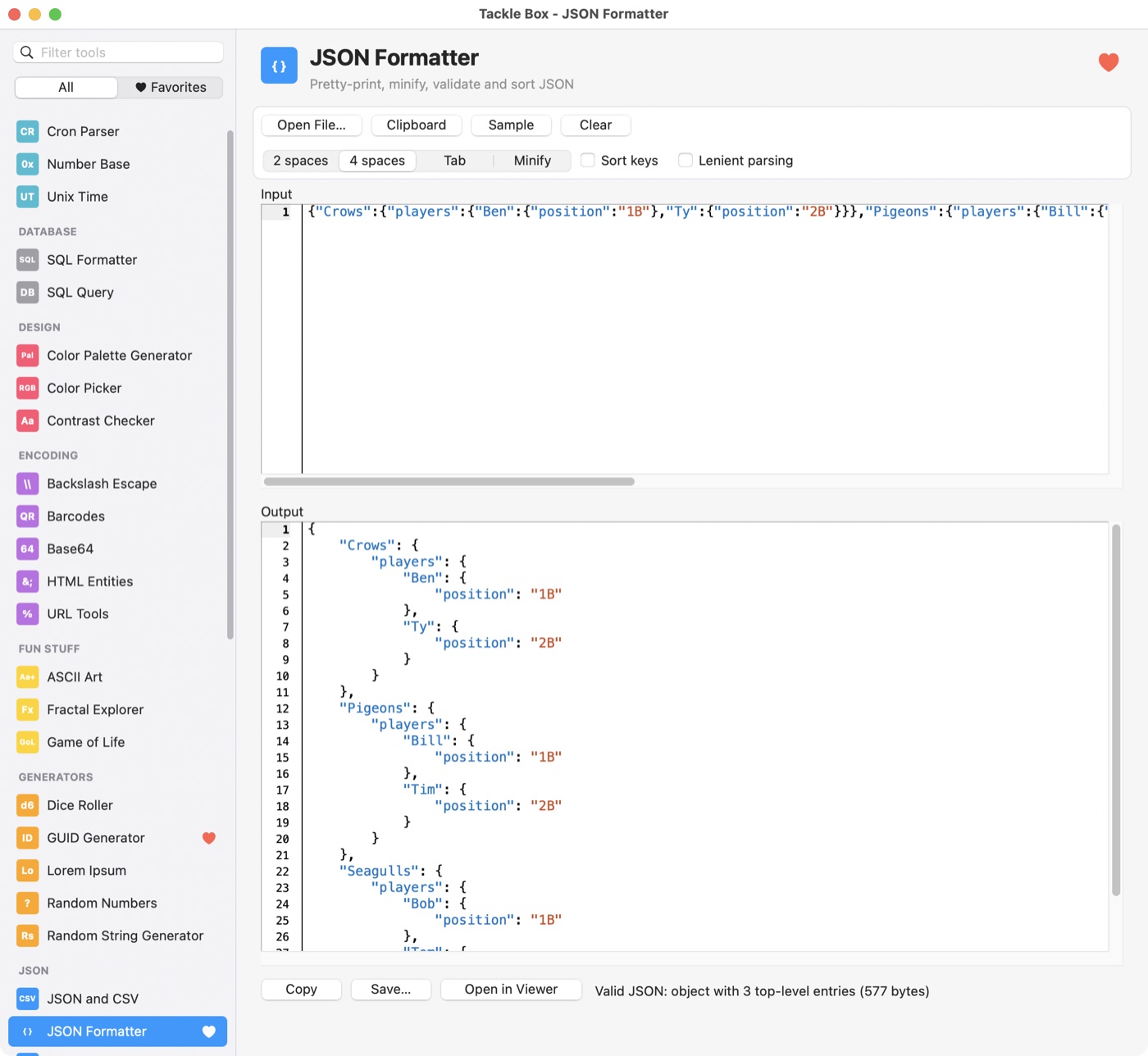
An offline JSON formatter, validator and tree viewer, plus JSON to CSV conversion.
- JSON and CSVConvert JSON to CSV and CSV to JSON, with nested data flattened
- JSON Formatter FreePretty-print, minify, validate and sort JSON
- JSON ViewerExplore JSON as a collapsible tree and search it
Network 3
A REST client for sending HTTP requests and inspecting responses, a cURL to code converter and an IP and subnet calculator.
- cURL to CodeTurn a cURL command into JavaScript, Python, PHP, Go, C#, Java, Swift, Xojo or PowerShell
- IP / Subnet CalculatorWork out the network, broadcast, host range and masks for an IPv4 or IPv6 CIDR block, and split it into subnets
- REST ClientSend HTTP requests, inspect the response, import and export cURL commands
Security 2
Decode JWTs without pasting tokens into a website and check their HMAC signatures. Generate MD5, SHA-1, SHA-2, SHA-3 and HMAC hashes of text or files.
- Hash GeneratorMD5, SHA-1, SHA-2, SHA-3 and HMAC digests of text or files
- JWT DebuggerDecode JSON Web Tokens, read their claims and check HMAC signatures
System 2
See every format on the clipboard, and details about this computer.
- Clipboard InspectorSee every format on the clipboard, and copy it back as plain text
- System InfoOperating system, CPU, display and network details for this computer
Text 8
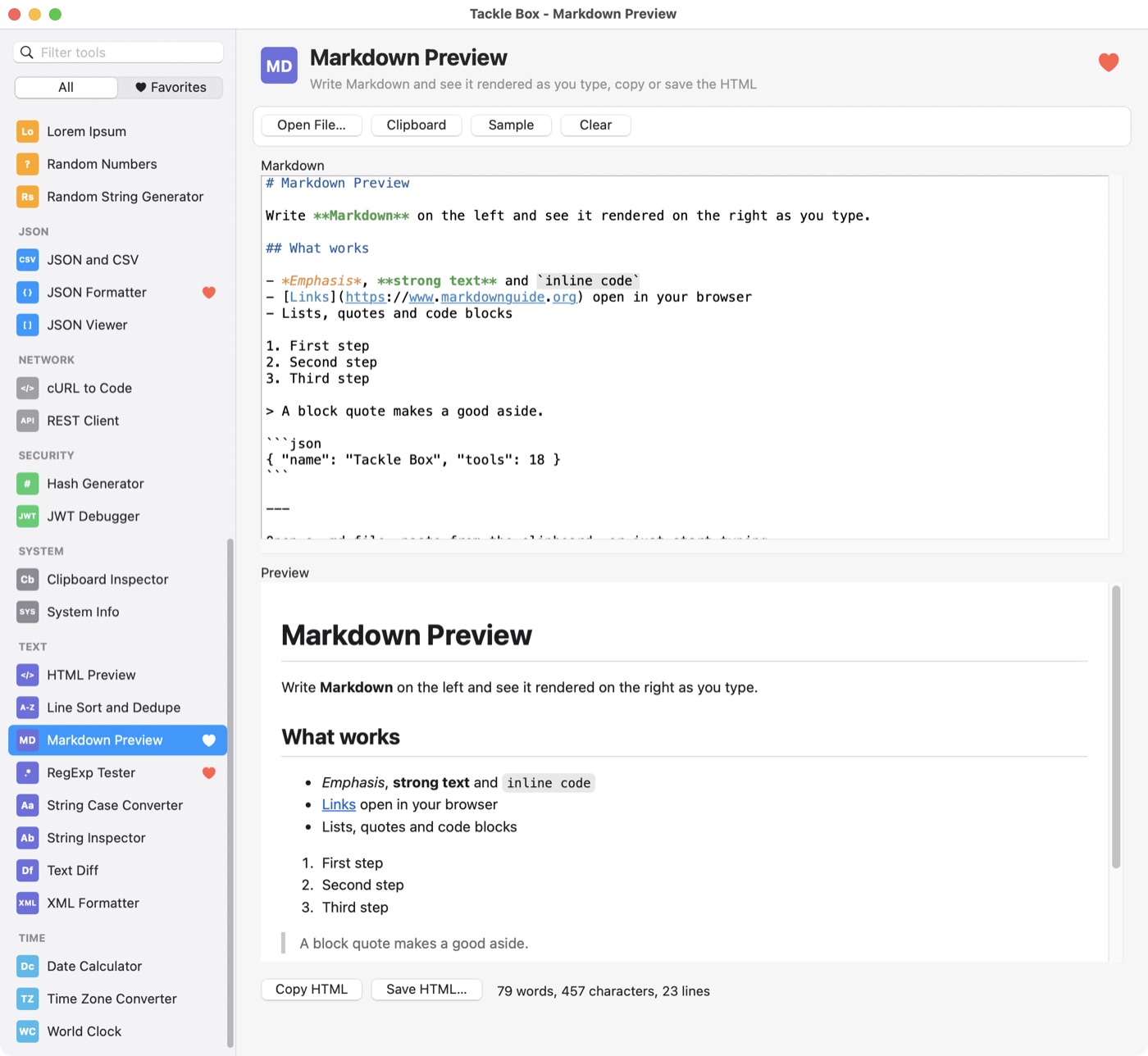
A regular expression tester with live match highlighting, a text diff tool, Markdown and HTML preview, case conversion and a string inspector that reveals hidden characters.
- HTML PreviewEdit HTML with syntax highlighting and see it rendered live, at desktop, tablet or phone width
- Line Sort and DedupeSort lines, remove duplicates and blank lines, trim, reverse or shuffle
- Markdown PreviewWrite Markdown and see it rendered as you type, copy or save the HTML
- RegExp TesterTry regular expressions with highlighted matches, groups and replacement
- String Case ConverterConvert text to camelCase, snake_case, kebab-case, Title Case and more, all at once
- String InspectorCount characters and bytes, and reveal invisible characters, code points and encodings
- Text DiffCompare two texts line by line and see what changed
- XML FormatterPretty-print or minify XML and check that it is well-formed
Time 3
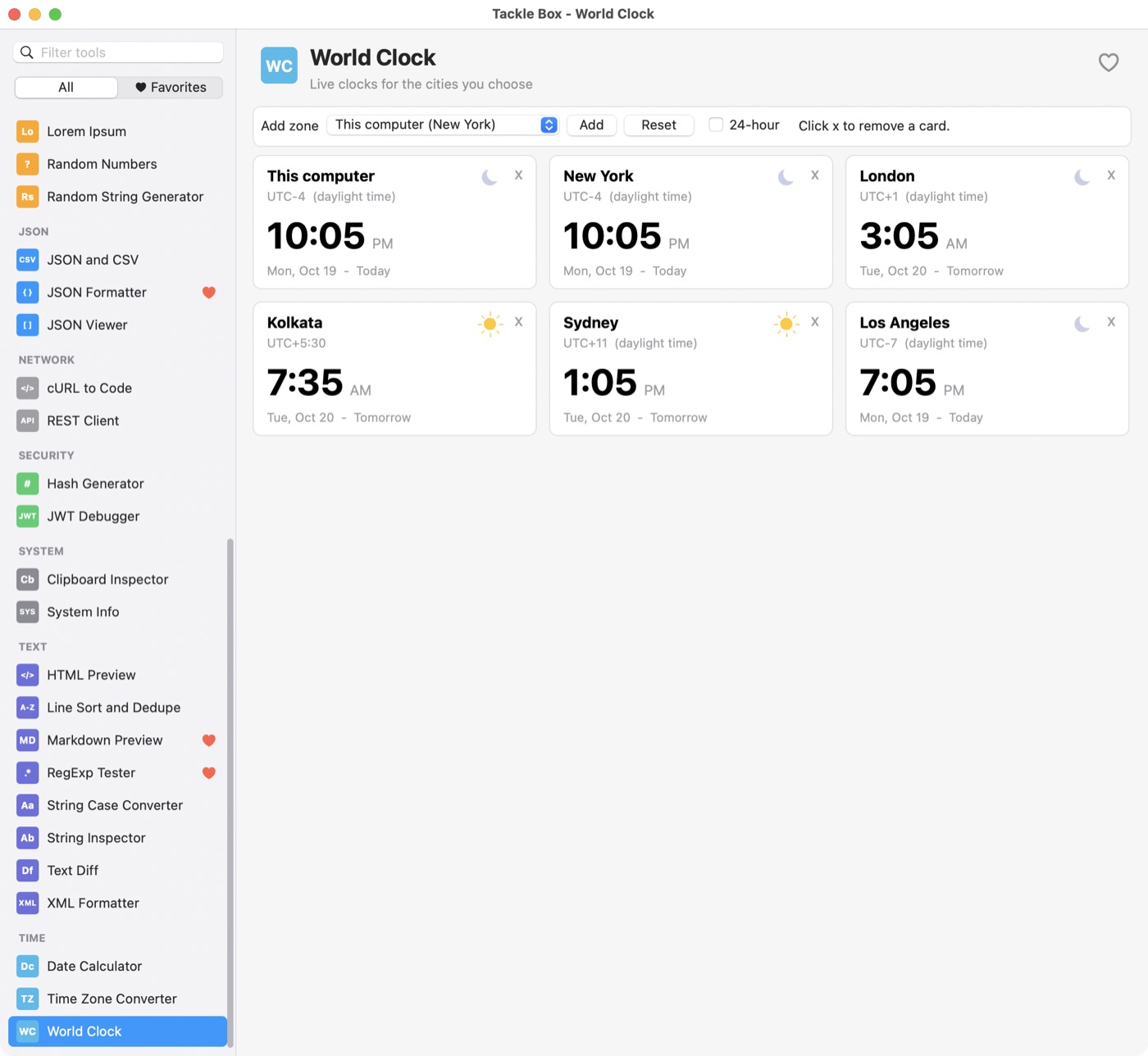
Convert between time zones, keep a world clock and work out the days between dates.
- Date CalculatorDays between dates, add or subtract time, and facts about a date
- Time Zone ConverterConvert a date and time between time zones, with working hours at a glance
- World ClockLive clocks for the cities you choose
Download
Try every tool free for 14 days
Download Tackle Box and every tool is unlocked for 14 days, starting the first time you run it. No account or credit card needed. When the trial ends it keeps working as a free version that never expires, and nine tools stay free forever: ASCII Art, Base64, Color Picker, Fractal Explorer, Game of Life, GUID Generator, JSON Formatter, Number Base and Unix Time. A license brings the rest back.
Windows
Windows 10 or later. Most PCs need x64; ARM64 is for Windows on ARM devices.
Current version: 1.1.0. See what’s new in the changelog.
Pricing
Pay once. Keep it forever.
A license unlocks every tool and includes a year of new tools and updates. When the year is up, the version you have keeps working in full. Renew only if you want what's new. Pick one platform for $19, or get all three for $29.
Prices in US dollars. Taxes may be added at checkout depending on where you live. Every purchase has a 30-day money-back guarantee. Questions? Email paul@logicalvue.com.
Questions
Frequently asked
How does the free trial work?
The first time you run Tackle Box, a 14-day trial starts and every tool is unlocked. The title bar shows how many days are left. No sign-up, credit card or email address is needed. Installing a newer version does not restart the trial.
What happens when the trial ends?
Tackle Box keeps working as a free version that never expires. It includes ASCII Art, Base64, Color Picker, Fractal Explorer, Game of Life, GUID Generator, JSON Formatter, Number Base and Unix Time. The other tools show a lock until you enter a license. Your favorites and settings are kept.
Is it a subscription?
No. You pay once and keep the version you have. A license includes a year of updates and new tools, and renewing is optional.
How do licenses work?
You receive a license key by email. Enter it in Tackle Box and every tool unlocks. A license covers the platforms you bought, either one platform ($19) or all three ($29), and includes one year of updates.
What happens when updates end?
Your license includes one year of updates. If it lapses, the version you already have keeps working in full. Newer versions run as the free version until you renew.
Can I get a refund?
Yes. If you are not happy for any reason, ask within 30 days of buying and you get your money back. See the refund policy.
Does Tackle Box work offline?
Yes. Every tool runs on your computer, and nothing you paste, type or open is uploaded. Tackle Box does check logicalvue.com for new versions when it starts (at most once a day), and you can turn that off in the About window. Beyond that, the only network traffic is a request you send yourself, such as from the REST Client.
Which systems does it run on?
macOS 12 or later (Apple silicon and Intel), Windows 10 and later (x64 or ARM64), and 64-bit Linux with GTK 3 (x64 or ARM64).
How does Tackle Box compare to DevUtils?
DevUtils is a well-made developer toolbox for macOS. Tackle Box covers much of the same ground, and also runs natively on Windows and Linux, including ARM. If you work on more than one operating system, one $29 license covers all three.
Is there a DevUtils alternative for Windows or Linux?
Yes. Tackle Box is a native developer toolbox for Windows 10 and later and for 64-bit Linux with GTK 3, as well as macOS.
How does Tackle Box compare to DevToys?
DevToys is a good free, open-source toolbox that also runs on Windows, macOS and Linux. Tackle Box is a different take with more and different tools: a REST client, a SQLite query tool and cURL to code, among others. Tackle Box costs money after the 14-day trial (nine tools stay free), so if free and open source matters most to you, DevToys is worth a look.
Does Tackle Box use AI?
No. Tackle Box has no AI features, and nothing you paste or open is sent to an AI service or used to train a model. LogicalVue implements its apps with the help of AI coding tools; here is how we use them.
I have an idea for a tool.
We'd love to hear it! Use the Help->Suggest a Tool feature in Tackle Box to send us your idea. New tools are added regularly.